Upgrade outdated and failing printers with a single solution

Complete IT Systems Managed Print services in partnership with Apogee recently joined forces to provide our customer, a national security company, with a total managed and secure workplace solution.

The service has allowed the customer to:
  • Upgrade outdated and failing printers to release workload strain on the IT department.
  • Alleviate further strain on IT department caused by attending to issues with failing printer toner and restocking toner.
  • Remove poor service and response times which are hampering and affecting business.
  • Future upgrade path to be included in the contract to support IT department.

Find out more

As Apogee partners, Complete IT Systems have the skills and resources to help your business with printing solutions for the modern workplace. For more information on how Complete IT Systems and Apogee can help, call 01274 396 213 or email .

Is your business mobile contract good value?📱

The way we communicate is changing. Could you be getting more value from, and/or spending less on your business mobile contract, unified communications, connectivity and cloud services for your organisation?

The specialist team at our sister company Complete Voice and Data works with its customers to get maximum value all business communication needs.

If you would be interested in seeing if they can help your business save on its voice and data requirements, fill in this short survey to give us some key information, and a specialist will contact you.

📢[Webcast]: 2022 Data Protection: Strategies and Initiatives

With data volumes soaring and the demand for modern business applications growing, IT teams need to get to grips with multiple silos of data.

Based on Veeam’s 2022 Data Protection Trends Report that surveyed around 3,400 IT professionals around the world, this session will cover the most common strategic initiatives that drive changes in data protection.

Check out this recent webcast from Veeam to learn more about:

  • Business requirements and how to align to data protection methodologies
  • How digital transformation or IT modernisation initiatives can be impeded or accelerated through modern data protection
  • Cloud‑first ramifications for both production and protection
  • Cyber preparedness alignment with business continuity/disaster recovery (BC/DR) within a broader data protection initiative


Find out more

As Veeam Silver partners, Complete IT Systems have the skills and resources to help your business. For more information on how Complete IT Systems and Veeam can help, call 01274 396 213 or email .


8 reasons to choose an independent business mobile provider

Business mobile plans are one of those operational costs that most companies know can be reduced, either through alternative quotes from another supplier that may be linked to specific networks, or even going direct to the networks themselves. Both options take time and have disadvantages.

Because of this, sticking with an incumbent is usually the path of least resistance. The result is that your business could be losing out on significant savings every month.

To start making some quick savings, our partners Complete Voice and Data have put together a short article outlining 8 reasons to choose an independent business mobile provider.

Securing applications – an expert perspective

The need for securing applications hits the headlines every day. New cybersecurity breaches, ransom attacks and hackers breaching organisations’ critical systems are all commonplace. Applications are a common weakness that malicious actors exploit to gain access into IT infrastructure, and access sensitive data.

Protecting against attacks

To successfully protect against attacks, IT professionals need to be on top of recent data breaches, the main application security vulnerabilities, and how other businesses are dealing with them. They also need to understand the most important product capabilities needed to defend against multi-vector application attacks. From there, plans can be formulated for securing applications and protecting against those top threats.

As part of its recent report entitled “The state of application security in 2021”,  Barracuda Networks surveyed a group of IT professionals worldwide to find out their challenges, opinions, and priorities associated with application security and compiled the results into an insightful market report.

In this insightful webinar, an expert team from Barracuda and Christian Jackson, Platform Manager at the Natural History Museum discuss the report and delve further into its findings.

Want to learn more?

Complete IT Systems have a team of Barracuda specialists on hand to demo the solution, discuss business benefits and help you understand how the technology works for your organisation.

To get in touch or request a demo please contact us.

Cloud-to-cloud backup – why you should backup Microsoft 365 data

What is the use case for cloud-to-cloud backup? Despite the misconception to the contrary, Microsoft 365 is not a backup tool. Instead, it should be thought of as providing availability for users to conveniently access documents – but not a secure backup archive.

Microsoft’s own user agreement confirms that it actually provides extremely limited data protection by retaining deleted items in site collection bins. These are very similar to the recycle bin on Windows Desktops. However, files are only retained for a maximum of 93 days. The retention of files in Microsoft Teams can be even more limited, with Teams channels only protected for 21 days.

The implications for IT

Restoring entire users’ folders or mailboxes can be a tedious, manual process. If the data is mission-critical, this will inevitably mean that widespread disruption can be caused.

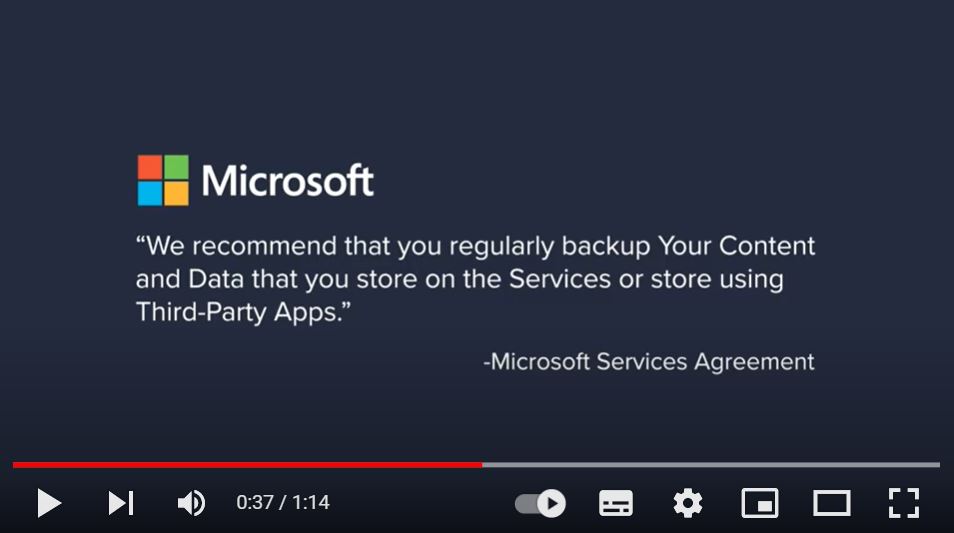
Because of this, Microsoft itself recommends that you its customers use third-party backup for data hosted in Office 365.

What is the solution?

Cloud-to-Cloud Backup provides comprehensive, cost-effective, scalable protection for your organisation’s 365 data.

Barracuda Cloud-to-Cloud Backup offers fast backups, highly granular restore capabilities, and unmatched ease of use. It automatically backs up all data from email, OneDrive for Business, SharePoint Online, Groups, and Teams data to the Barracuda Cloud.

The service is provided as a complete Software as a Service (SaaS) offering so no hardware or software to deploy or manage, and when time is of the essence, restoring what you need takes just a few clicks.

Find out how to go from signing up to running your first backup within 5 minutes in this short video!

Want to learn more?

Complete IT Systems have a team of Barracuda specialists on hand to demo the solution, discuss business benefits and help you understand how the technology works for your organisation.

To get in touch or request a demo please contact us.


Is “paperless” a reality in the age of digital transformation?

In a recent article by Brother UK, the concept of “paperless” was discussed at length in relation to the NHS.

But although digital transformations are gathering momentum in the NHS, public sector and private sectors, how much does it really involve going paperless?

Brother’s findings showed that although the aspiration of a paperless NHS was first introduced in 2013, the reality since then has been somewhat different. As recently as 2019, research by OpenText found that only just over 10% of NHS trusts had gone fully digital.

Working on the goal of paperless

Despite the delta between aspiration and reality, there is still a lot of focus on digitalisation. Whether to save costs, improve communication efficiency or reduce carbon footprint, there are many justifications for going digital.

Brother’s research found that “alongside the National Health Executive revealed that 89% of respondents worked in hospitals that are striving towards a ‘paperlite’ policy”. As a result, those trusts will reduce wastage, improve efficiency and make themselves more sustainable.

Even still, the concept of “paperless” is very different to going ‘paperlite’. Reducing print and paper usage as opposed to eliminating it is proving to be more achievable for resilient organisations, certainly in the short term.

Managing the transition to ‘paperlite’

Agile businesses need an all-round resilient print solution that works at home, in the office and on the move, to ensure employees can operate efficiently and effectively from anywhere.

Brother ticks all the boxes with its bespoke solutions that are flexible, reliable and secure, futureproofing your business’ ability to perform.

Ensure your business is designed for resilience

With Brother print solutions, you can futureproof your business. Create your all-round solution to suit every need with:

  • Comprehensive device options including industry-leading SMB laser printers for the office and compact multifunction desktop devices for home to enable simple and secure printing and scanning in any environment.
  • Touch-free de-centralised printing with Secure print+, enabling social distancing and reducing the risk of infection in office, while improving productivity by making print processes quick and easy.
  • Managed Print Services giving users access to Brother’s remote IT support desk, with a team of experts who can resolve any issues remotely, wherever they are.

Get in touch to find out how Brother solutions can help you improve your business’s resilience.

Futureproofing business with Brother

In what is likely to be one of the most enduring side effects of the pandemic, employees and organisations across the UK have felt the benefit of less commuting and more work-life balance.

With this, the more flexible employers can be, there is a realisation that they can be more effective. That means equipping people with solutions to remain productive, wherever they may be.

That includes an all-round resilient, flexible print solution that works at home, in a co-working hub, or in the office.

How Brother and Complete IT Systems help

Brother can tick all the boxes. For home users, Brother users can benefit from compact multifunction desktop devices that enable simple and secure printing and scanning.

In the office, touch-free decentralised printing means staff can reduce the risk of infection, respect social distancing and improve productivity at the same time.

In the hub, Brother’s print and scan devices mean you can create documents for meetings in serviced offices, for
example, without having to send them to shared printers using unfamiliar networks.

Remote IT support desk services, with a team of experts who can resolve any issues remotely, wherever they are.

Brother are working to design bespoke print solutions that are making businesses more resilient and ready to take on whatever challenges and opportunities the future might bring.

See how other organisations are adapting

To understand its importance, Brother UK recruited an expert panel of IT decision-makers, academics, and advisors to look at how firms are introducing new technology to build business resilience. Those businesses with robustness and agility will be best placed to survive both short-term shocks and longer periods of uncertainty.

The report helps in highlighting the role technology must play and help IT decision-makers with the choices they make in enabling their organisations to futureproof.

Find out more

Get in touch to find out how Brother solutions can help you improve your business’s resilience.

What is Zero Trust, and how to build your roadmap

Zero trust is an architectural approach where inherent trust in the network is removed. This means network is assumed hostile and each request is verified based on an access policy. It is a multi-layered approach to fending off modern cybersecurity threats. The National Cyber Security Centre provides a comprehensive Introduction to Zero Trust.

Now that remote work is the rule rather than the exception, it’s time to protect your assets and resources using modern Zero Trust protocols and solutions.

Implementing your Zero Trust strategy

Implementing a Zero Trust Network Access strategy is not overly complex or difficult. The key is to follow best practices and avoid the pitfalls that can leave digital resources exposed to threat actors.

Get the info you need to make it happen. Watch this on-demand webinar from Forrester to see what the experts from Forrester Research are saying about Zero Trust. The webinar summarises, unpacks, and presents the key findings in the report.

Click the image below to watch the webinar (you will be asked to enter your email address).

Want to learn more?

Complete IT Systems have a team of Barracuda specialists on hand. They can demo the solution, discuss business benefits and help you understand how the technology works for your organisation.

To get in touch or request a demo please contact us.

How to secure web applications against malicious files

Modern web applications have evolved into a primary form of data communication as well as a platform where end users can easily collaborate, upload documents, images, or other files. However, this has led to applications being able to accept file uploads with any extension or type, giving attackers the opportunity to upload malicious files into applications that exploit both the organisation and its clients. Therefore, filtering uploads by validating for file types or extensions is no longer an effective way of defending against such attacks.

In the recent past, in-house sandboxing techniques have been used in company networks to detect malware in files. However, deploying an appliance for sandboxing and analysing local network files is not scalable, and it also adds severe latency and administrative overhead, which results in badly implemented security.

Additionally, enhanced inspection techniques that send notifications and adequate logging are required to defend against today’s file injections. By immediately notifying the administrator when an attack occurs, they have a better chance of combating threats.

Why anti-virus scanning isn’t enough

Running a business is becoming more dynamic, yet more complex. Unfortunately, this also applies to the business of malware and ransomware. Popular types of malware are being used to target websites, and are rarely detected by traditional anti-virus services.

The origin of these infections is typically through simple actions like file uploads in web applications. Today’s threats spread at a high velocity, making it difficult to detect a threat, isolate the signature, add the signature to databases, and make it publicly and continually available in a very short time. By the time the database update is available, the threat has already compromised a network’s systems and has successfully covered up its tracks.

While these signature-based legacy systems are still important as a first line of defense for prefiltering network traffic, organisations still need an additional security layer to protect against targeted malware.

Read this whitepaper from Barracuda to find out how to secure web applications against malicious file injections.

Want to learn more?

Complete IT Systems have a team of Barracuda specialists on hand to demo the solution, discuss business benefits and help you understand how the technology works for your organisation.

To get in touch or request a demo please contact us.